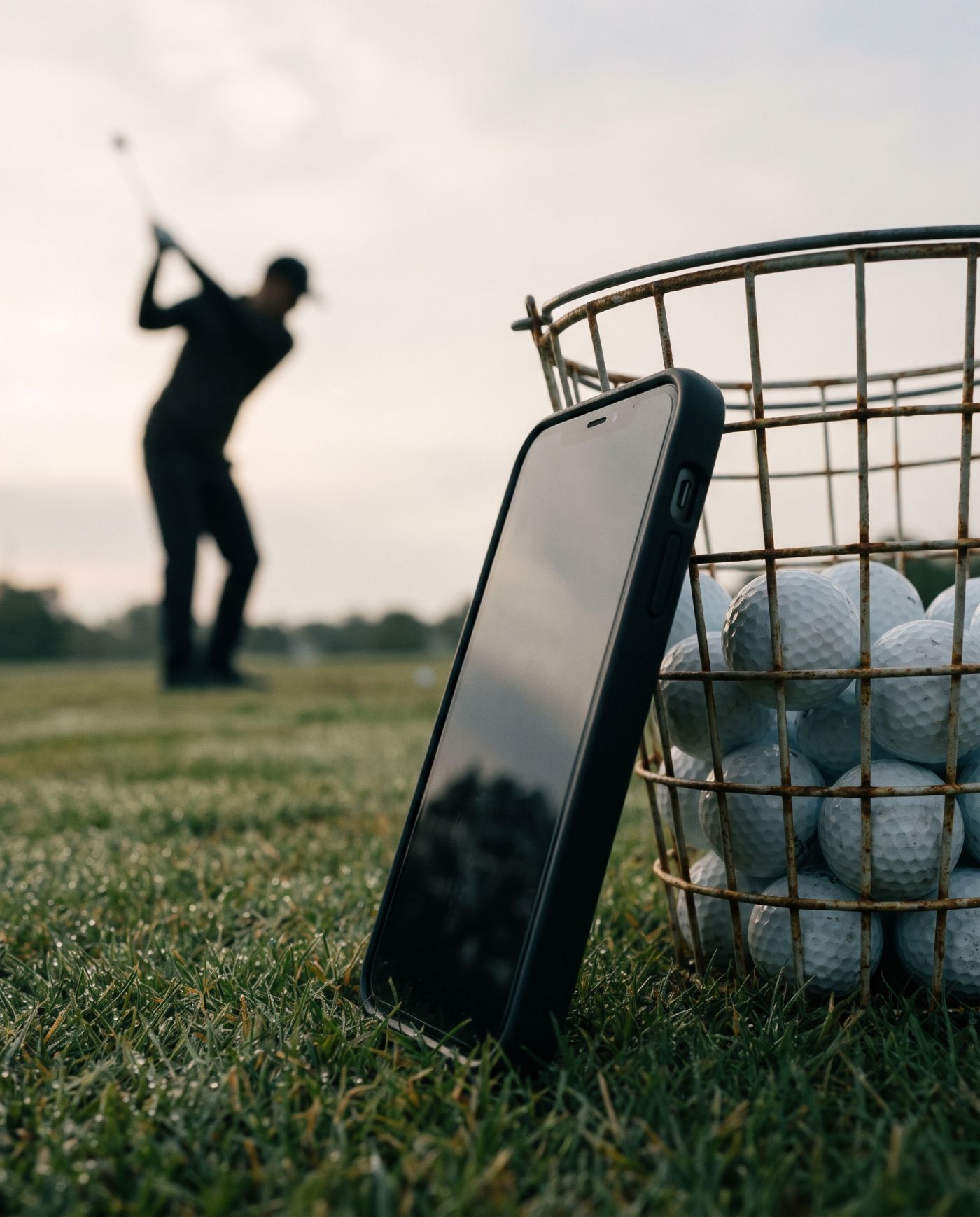
A golfer stands behind the ball on a misty range at first light, looking down the range before the shot.

A clearer swing
starts here.

Lean your phone on your bag and hit balls. Strikeprint keeps your swings, drops everything in between, and tells you the one thing to work on.

An iPhone app, in testing with our first golfers. Invite-only for now.

Hit a bucket.
Get one thing back.

The camera stays on for the whole session and you never touch it. Each strike is heard, the few seconds around it are kept, and the rest is never saved. Picking up a tee is not a swing, so it is not kept either.

When you finish, every swing is there side by side: which were the good ones, the miss that showed up most, and the first thing to look at.

An example with made-up swings, in the words the app uses. Each line is the ball seen from above. In the app, each one is a still from your own film.
A phone leans against a wire basket of range balls on dewy grass, filming a golfer at the top of the backswing.

Prop your phone.
Hit balls.

  1. Lean it and leave it

    On your bag or a ball basket, from behind or face-on. The app checks four things before it films: all of you in the picture, phone still, phone upright, enough light. Then it tells you it is ready.

  2. Hit balls

    Nothing to press between swings. The app hears each strike and keeps the three seconds before it and a second and a half after.

  3. Say where the ball went

    Three taps: where it started, which way it curved, how you struck it. Filmed from behind, the app reads the start from the film, and you change it only if you saw different.

  4. Get your read

    The miss, why the ball does that, and the first thing to look at. Next week, put the same swing side by side, then and now.

Video and sound stay on your phone unless you turn on Send my film. That sends picture only, and it waits for Wi-Fi. Sound is never sent. A tester code can also send a diary of what the app did. How to film your swing

It starts with
where the ball went.

A swing can look fine and still miss the fairway. So a read starts with the miss, then why, then one drill, then how you will know it worked.

Here is a real one. We wrote it by hand from Zac's film and his launch monitor numbers. In the app today, a read is built from what you tell it about the ball.

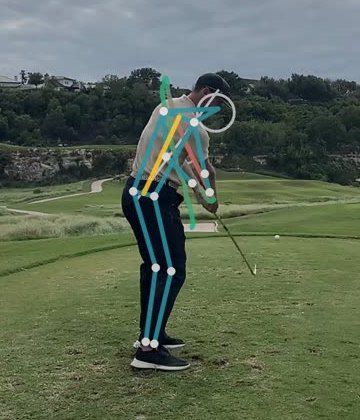
Zac at impact with an iron, filmed from behind, with his tracked joints drawn over the frame.

Zac, one of our first golfers. Shared with his permission.

His driver finishes right

The miss
Two drives on a launch monitor finished 26 and 20 yards right of the target, and both were still curving right. Distance is not the problem.
Why
He stands up through the strike. With no room left, his hands get pushed out and up, and from there the clubface tends to arrive open. The camera measures his body, not the clubface, so that last link is our read.
One drill
The chair drill. A chair set so it just touches his backside at address. Slow half swings with a 7 iron, touching it all the way down and through.
How he will know
An alignment stick in the ground three or four paces in front of the ball. Ten drivers at 70 percent, counting how many start left of it.

See Zac's whole read

One camera.
Honest about its limits.

We show you the evidence and say where it runs out. Anything we worked out and did not see is labeled as our read.

What a phone can show

  • Which way the ball started. Filmed from behind, read from the film against the target you mark.
  • Three stills of the swing. Address, the top and the strike, side by side, when all three are found in the film.
  • Your head and hips. How far they moved between address and the strike.

What it cannot

  • The clubface. No phone sees it at the strike. What the face did is worked out from the ball.
  • Curve and strike. Today you tell us. We do not guess where a ball went from how a body moved.
  • No clubhead speed and no spin. Ball speed and carry, when the film sees the ball leave, are estimates with a range. A launch monitor measures them.

See the method on a real swing

Your scores count for more than our opinion.

A swing can look better and score the same. So we keep your rounds next to your swing. Paste a round, say it out loud, or send a screenshot from whatever app you already use.

  • We never ask for another app's password.
  • Every round we read goes past you before it is saved.

In testing now with our first golfers.

A paper scorecard, a short pencil and a worn golf glove on a wooden bench in early light.

No iPhone yet? Try the Lab.

The Lab is the older browser prototype: tracking, a grade, a handicap guess and a roast card from one swing video. It is not the app and it is not a read. Your video stays on your device.

Before you film: keep the phone still at about hand height. Include your whole body and club, use good light, and trim to one swing under 20 seconds. Choose face-on for sway and tempo, or down the line for posture and estimated rotation. The full filming guide

Start with a swing.
Build a practice habit.

Planned launch tiers. No payment is collected here. Pro features are in development.

Free

$0 forever, planned

A useful first look at your swing.

  • 1 swing per day
  • Letter grade and handicap range
  • Shareable roast card
Try the prototype LabThe daily limit is not enforced in this prototype.

Pro

Planned

$9.99 / month

or $59 / year. Proposed pricing.

  • Unlimited swings, history and trends
  • Driver vs iron and past-self comparisons
  • Full drill plan and down-the-line 3D rotation
Request a Pro inviteA future AI coach read is on the roadmap. It is not included in the current Lab.
Two friends at a driving range in late light. One films the other's swing on a phone.

Be part of
the first group.

The iPhone app goes out in small groups while we test it. Bring the friend who tells you the truth about your swing.

We keep your email and what you picked above, only to send your invite. No list selling, no spam. Reply to any email from us and we delete you.